
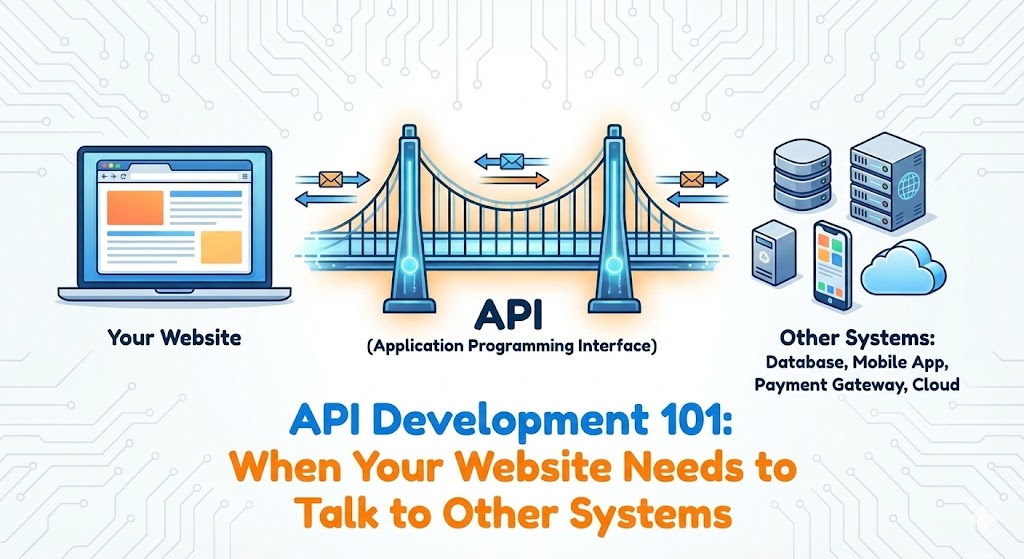
In the early days of a business, it is common to have "siloed" data. Your e-commerce sales happen on your website. Your customer data lives in Salesforce. Your invoices are generated in Xero or QuickBooks. And usually, there is a human being sitting in the middle, manually typing data from one window into another.
This isn't just inefficient; it is a recipe for human error. The solution to this digital disconnect is an acronym you have likely heard but might not fully understand: the API (Application Programming Interface).
The Universal Translator
Technically, an API is a set of rules that allows two different software programs to communicate. But for business owners, it is better to think of an API as a Universal Translator.
Your website speaks "Python/Django." Your accounting software speaks "Java." They cannot talk directly. An API sits in the middle, taking a request from your website, translating it into a standard format (usually JSON), and handing it to the accounting software.
The Waiter Analogy
Imagine you are at a restaurant. You (the user) are sitting at the table. The kitchen (the system) is in the back. You cannot just walk into the kitchen and start cooking.
You need a messenger. You give your order to the waiter (the API). The waiter takes your order to the kitchen, tells the chefs what to do, and brings the result (the food) back to you. You don't need to know how the stove works; you just need the result.
When Do You Need an API?
You need custom API development when off-the-shelf plugins stop working for your unique business logic. Here are the most common scenarios we see at our agency:
1. Payment Processing
When you take a credit card payment, your site doesn't actually touch the money. It uses an API to talk to Stripe or PayPal. Your site sends the amount and card token; Stripe sends back a "Success" or "Declined" message.
2. Third-Party CRM Integration
When a user fills out a "Contact Us" form, you don't want that lead to die in an email inbox. We build APIs that automatically push that data into HubSpot or Salesforce, tagging the customer and assigning a sales rep instantly.
3. Mobile Apps
If you plan to build a mobile app later, you need an API. Your mobile app is just a shell; it needs to fetch data from your main database. It does this via API calls.
Why Django is the API King
At our agency, we use the Django REST Framework (DRF). It is widely considered one of the best toolkits for building Web APIs in the world.
- Browsable API: DRF provides a visual interface where developers can log in and test the API in a web browser. This speeds up development and debugging significantly.
- Security: Just like core Django, DRF has built-in authentication and permissions. We can easily ensure that only Admin users can delete data, while standard users can only read it.
- Serialization: Django handles the complex task of converting your database models into JSON data automatically.
Summary
An API transforms your website from a digital brochure into a fully integrated business engine. By automating the flow of data between your systems, you save hours of manual labor and reduce errors to near zero.