
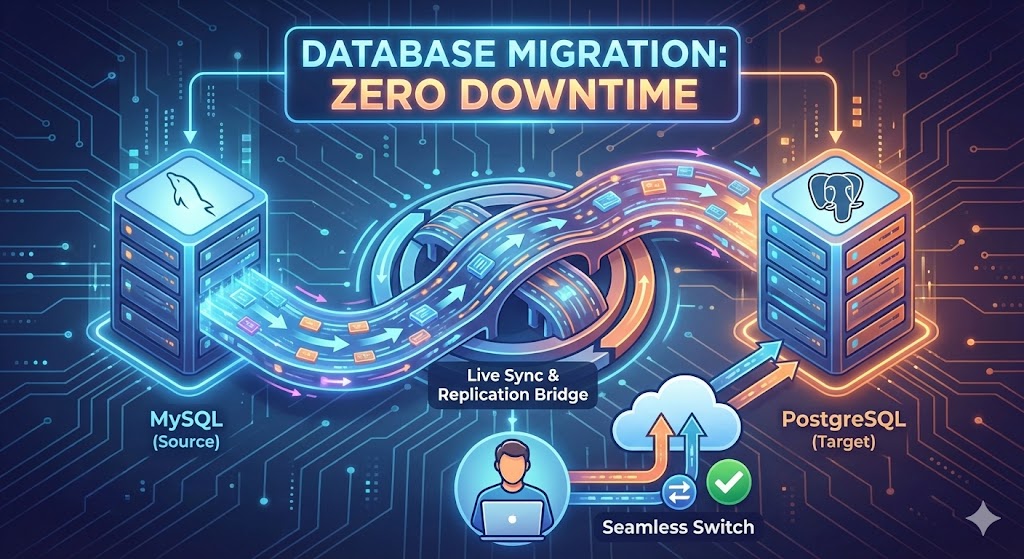
In the lifecycle of many successful startups, there comes a moment of infrastructure maturity. You started with MySQL because it was familiar and ubiquitous. But now, as your application grows complex, you are eyeing PostgreSQL.
For Django developers, PostgreSQL is the holy grail. It offers better data integrity, superior handling of JSON data (JSONB), and powerful extensions like PostGIS for location data. But there is one massive terrifying hurdle standing in the way: The Migration.
The traditional method—exporting the old database and importing it into the new one—requires turning your website off. For a large database, that could mean 6, 12, or even 24 hours of "Maintenance Mode." For a modern business, that is unacceptable.
The Old Way: The "Big Bang" Migration
The classic approach is simple but destructive:
- Turn off the website (Downtime starts).
- Dump all data from MySQL.
- Convert schema to PostgreSQL.
- Import data to PostgreSQL.
- Turn on the website (Downtime ends).
This works for a hobby blog. It is disastrous for a SaaS platform where customers are active 24/7.
The New Way: Continuous Replication
To achieve zero (or near-zero) downtime, we treat the migration not as a "move," but as a "sync." We want both databases running simultaneously until the new one is perfectly caught up. This is often achieved using Change Data Capture (CDC) tools like AWS DMS (Database Migration Service) or open-source tools like Debezium.
ExploreStep 1: The Initial Load
Your site stays live. Users are still reading and writing to MySQL. In the background, we start a process that copies the existing data to the new PostgreSQL instance.
Step 2: Continuous Replication (The "Catch Up")
This is the magic part. While the bulk copy is happening, your users are still creating new orders and comments. The replication tool watches the MySQL "transaction log." It captures every new INSERT, UPDATE, or DELETE that happens during the migration and replays it onto the PostgreSQL database.
Eventually, the PostgreSQL database catches up. It is now a mirror image of the live MySQL database, lagging behind by only a few milliseconds.
Step 3: Validation
Because the site is still running on MySQL, we can pause and inspect the PostgreSQL data. We run scripts to compare row counts and check data integrity. If something looks wrong, we fix it without the users ever knowing.
Step 4: The Cutover (The "Blip")
Once the databases are in sync, we prepare the code deployment.
- We switch the application configuration to point to the PostgreSQL database.
- We restart the application servers.
The "downtime" is effectively limited to the time it takes to restart the web server process—usually a matter of seconds. Users might experience a single failed request, or simply a slightly longer loading spinner, but the site never truly goes "down."
Why We Recommend PostgreSQL for Django
Is the effort worth it? Almost always.
| Feature | MySQL | PostgreSQL |
|---|---|---|
| Django Support | Good | Excellent (Native support for many features) |
| Complex Queries | Fast for simple reads | Better for complex joins/analytics |
| Data Integrity | Flexible (allows some errors) | Strict (ACID compliant by default) |
| JSON Support | JSON (Stored as text) | JSONB (Binary, indexable, queryable) |
Summary
Migrating databases is open-heart surgery for your application. It requires precision, backups, and a solid rollback plan. But with modern replication strategies, it no longer requires putting your business in a coma for a day.