
If you have ever stared at a blank white screen waiting for a website to load, you know exactly why Google created Core Web Vitals. Users are impatient. In fact, studies show that if a site takes longer than 3 seconds to load, 53% of mobile users will abandon it.
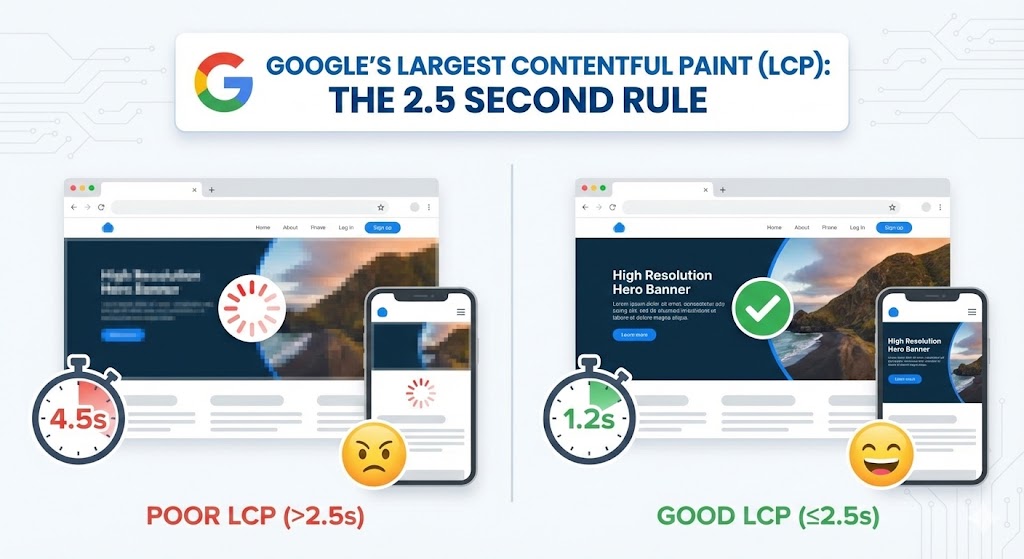
To quantify this frustration, Google introduced a specific metric called Largest Contentful Paint (LCP). It doesn't measure when the first pixel loads, or when the entire page finishes. It measures when the most important thing (the main image or headline) becomes visible. And if that number is higher than 2.5 seconds, your SEO is in trouble.
What Exactly is LCP?
LCP measures the time from when the user clicks a link to when the largest content element in the viewport is fully rendered. This "largest element" is usually:
- The "Hero" image or banner.
- The main H1 heading text.
- A video poster image.
Google ignores the little things (like a navigation bar logo) and focuses on the big content that tells the user, "The page is here, and it works."
The 2.5-Second Threshold
Google has drawn a strict line in the sand regarding LCP scores. Your website falls into one of three buckets:
- Good (Green): 2.5 seconds or less. This is the goal. Google gives you a ranking boost.
- Needs Improvement (Yellow): 2.5s to 4.0s. You are in the danger zone. Users are starting to get annoyed.
- Poor (Red): Over 4.0 seconds. Google actively penalizes your site in rankings.
Common LCP Killers (and How to Fix Them)
If your LCP is in the red, it usually comes down to three culprits. Here is how we fix them, specifically in a Django context.
1. Slow Server Response Time (TTFB)
If your server takes 2 seconds just to "think" about the request, you only have 0.5 seconds left to load the image. That is impossible.
- The Fix: We use Django Caching (Redis) to serve pre-computed pages instantly. We also upgrade the database to ensure queries aren't bottlenecking the initial load.
2. Unoptimized Hero Images
A 4MB PNG file as your banner image is an LCP death sentence. The browser has to download the entire massive file before it can "paint" it.
- The Fix: We convert images to modern formats like WebP or AVIF, which are 30-50% smaller. We also use the fetchpriority="high" attribute on the hero image to tell the browser, "Download this first!"
3. Client-Side Rendering (The React Trap)
If your site relies entirely on JavaScript (Client-Side Rendering) to build the page, the user sees a white screen while the script downloads. This delays the LCP significantly.
- The Fix: This is why we love Django's Server-Side Rendering. The HTML arrives fully formed. The text and images are ready to display immediately, giving you a massive head start on LCP scores compared to many JavaScript-heavy frameworks.
Summary
LCP is not just a vanity metric; it is a direct proxy for user happiness. By aiming for that 2.5-second mark, you aren't just pleasing Google's bots—you are ensuring your customers stick around long enough to buy.