
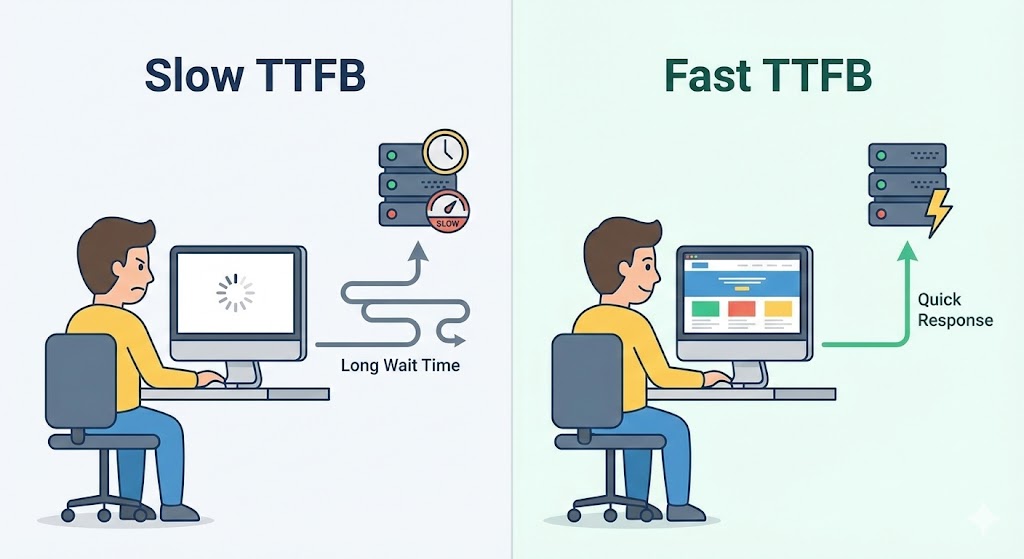
When optimizing for speed, most developers obsess over the frontend: compressing images, minifying CSS, and deferring JavaScript. These are critical steps, but they all rely on one assumption: that your server has actually sent the data to the browser.
If your server takes 2 seconds just to calculate what to show, it doesn't matter how small your images are. The user is staring at a blank screen. This "server think time" is measured by a metric called Time to First Byte (TTFB), and it is the foundational bottleneck of your SEO performance.
What is TTFB?
TTFB measures the duration from the user (or Googlebot) making an HTTP request to the moment the first byte of data arrives on their device.
It consists of three distinct phases:
- Network Request: The time it takes for the signal to travel to your server.
- Server Processing: The time your backend (Django) takes to run the code, query the database, and build the HTML.
- Response: The time it takes for the first piece of that HTML to travel back to the user.
Why Google Cares (The Crawl Budget Impact)
TTFB affects your rankings in two ways: explicit scoring and implicit indexing limits.
1. The Core Web Vitals Connection
While TTFB isn't a Core Web Vital itself, it is the primary constraint for Largest Contentful Paint (LCP). If you want your main content to load in under 2.5 seconds, but your TTFB is 1.5 seconds, you only have 1 second left for the browser to download and paint the image. A slow server makes passing Core Web Vitals nearly impossible.
2. The Crawl Budget Killer
This is the hidden danger. Google allocates a specific "budget" of time and resources to crawl your site. If your server is slow, Googlebot can only crawl a few pages before its time runs out.
The Result: If you have a slow TTFB, Google might index only 100 pages of your site instead of 1,000. Your new blog posts or product updates might take weeks to appear in search results simply because Googlebot got tired of waiting for your server to respond.
Benchmarks: What is a "Good" Score?
According to Google's documentation:
- Excellent: Under 200ms
- Acceptable: 200ms - 500ms
- Failing: Over 600ms (Google will flag this in Search Console)
How to Fix High TTFB in Django
If your frontend is fast but your TTFB is slow, the problem is in your Python code or database.
1. Fix "N+1" Query Problems
The most common cause of slow Django sites is the database being hit hundreds of times for a single page. This happens when you loop through objects in a template without pre-fetching related data.
Fix: Use .select_related() and .prefetch_related() in your views to grab all data in one go.
2. Implement Server-Side Caching
Django doesn't need to rebuild the homepage for every single visitor. By using Redis or Memcached, you can store the fully built HTML in memory.
Fix: Use Django's per-view caching decorator (@cache_page(60 * 15)) to serve the page instantly from RAM, bypassing the database entirely.
3. Upgrade Your WSGI/ASGI Server
Sometimes the code is fine, but the server is underpowered. Moving from a synchronous worker (Gunicorn sync) to an asynchronous setup or simply increasing the number of worker processes can drastically reduce wait times under load.
Summary
TTFB is the "first impression" your website makes on Google. If that first handshake is slow and awkward, Google assumes the rest of the experience will be poor. Optimize your backend first, and your frontend optimizations will finally shine.