
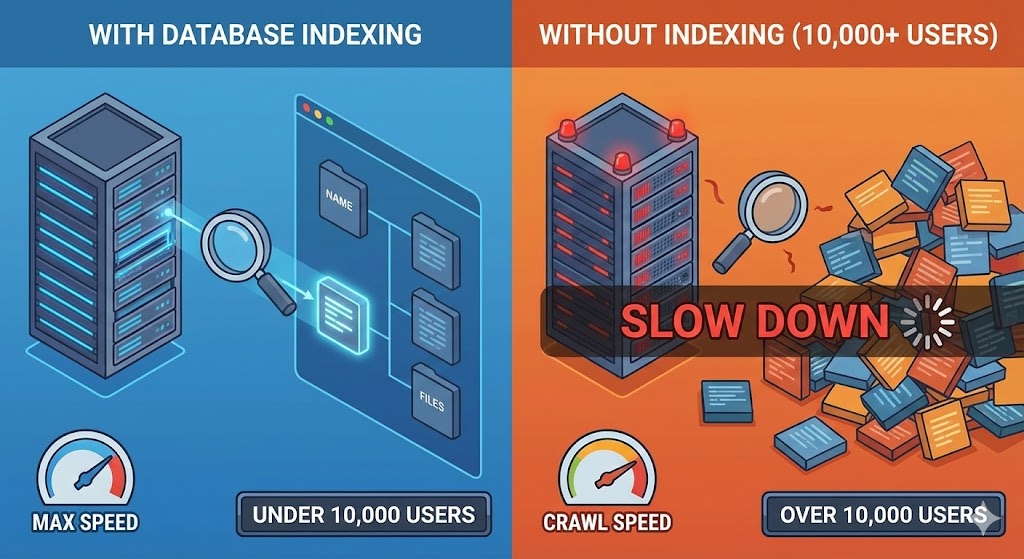
It is a classic "success disaster." You built a Minimum Viable Product (MVP). During testing with 50 users and dummy data, the site felt instant. Pages loaded in milliseconds.
Fast forward six months. You have hit 10,000 users. Your database tables are filling up with transaction logs, user profiles, and comments. Suddenly, your dashboard takes 5 seconds to load. Your server CPU is spiking.
You haven't changed the code. So why is the site slower? The answer usually lies in how your database looks for information—and the difference between a Full Table Scan and an Index Lookup.
The Library Analogy
Imagine a library with 10,000 books, but they are not organized by genre, author, or title. They are just thrown onto the shelves in the order they were bought.
Scenario A (No Index): You ask the librarian for "The Great Gatsby." Because there is no system, the librarian must walk down every aisle, picking up every single book to check the title until they find the right one.If you have 100 books, this takes 1 minute. If you have 10,000 books, this takes all day.
Scenario B (With Index): Now, imagine the library has a card catalog system (an Index). The librarian goes to the card catalog, looks up "Fitzgerald," finds the exact shelf number, and walks directly to the book.Whether you have 100 books or 10 million, the time to find the book is almost exactly the same.
The Technical Reality: O(n) vs O(log n)
In computer science, we measure efficiency using "Big O" notation.
- Without an Index (Full Table Scan): This is $O(n)$. If you double the number of users ($n$), the search takes twice as long. It is a linear increase in pain.
- With an Index (B-Tree Search): This is roughly $O(\log n)$. Even if you double the data, the search time increases by a tiny fraction.
When your developer adds an index to a column (like an email address or a product ID), the database creates a separate data structure—usually a B-Tree—that keeps that specific data sorted and points to the original record.
Why Not Index Everything?
If indexes make reading data so fast, why don't we just index every single column?
The Trade-off: Write Speed.
Every time you create a new user or save a new order, the database has to write the record and update the index card catalog. If you have 10 indexes on a table, the database has to do 11 writes for every single save.
- Too few indexes: Slow reads (Dashboards lag).
- Too many indexes: Slow writes (Saving forms lags).
How We Handle This in Django
One of the reasons we use Django is that it makes managing indexes incredibly transparent. We don't need to write raw SQL commands. We simply define it in the code model:
class Order(models.Model):order_id = models.CharField(max_length=20, db_index=True)# db_index=True creates the index automaticallyThis allows us to optimize your site's performance strategically. We analyze which queries are running most frequently and apply indexes only where they offer the highest return on investment.
Summary
If your site is slowing down as you grow, simply upgrading your server (adding more RAM or CPU) is often a waste of money. The solution is usually smarter architecture, not more power. A well-placed database index can turn a 5-second query into a 5-millisecond query.