
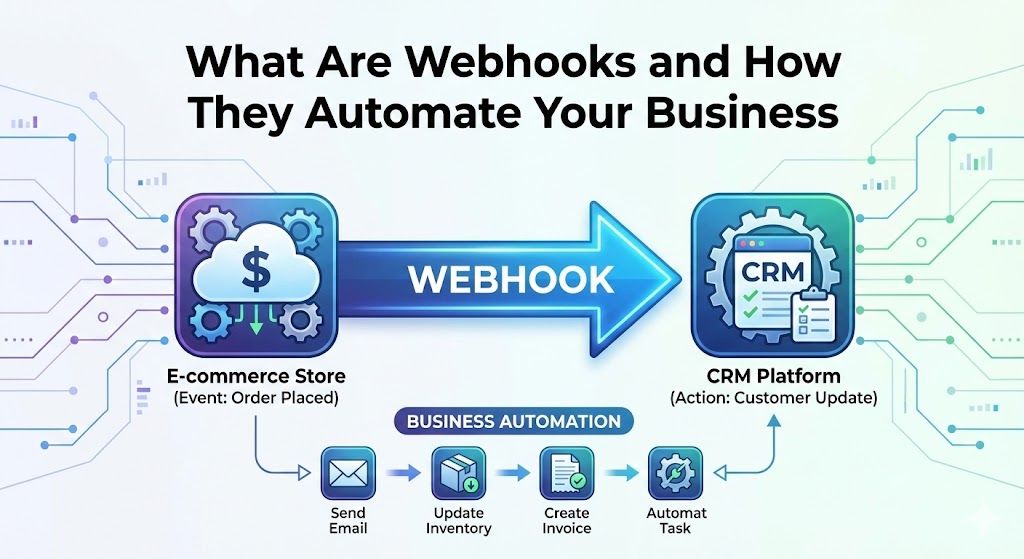
You have likely heard the term "API" before. It is the standard way different software programs talk to each other. But there is another, slightly more aggressive sibling in the connectivity family that is responsible for almost all the automation you see in modern business: The Webhook.
If you have ever wondered how a purchase on your website instantly unlocks a course, sends a receipt, and notifies your sales team on Slack all at once, you aren't looking at a human doing data entry. You are looking at a webhook chain.
The "Don't Call Us, We'll Call You" Philosophy
To understand webhooks, you have to understand the alternative: Polling.
Imagine you are waiting for an important package. Polling (Standard API): You go to the window every 5 minutes and look outside. "Is it here yet? No. Is it here yet? No." This wastes your time and energy. Webhook: You install a doorbell. You go about your day, doing other work. When the package arrives, the driver rings the bell. You know instantly.
Technically, a webhook is an automated message sent from one app to another when a specific event happens. It is a "push" notification for servers.
3 Real-World Examples of Webhooks in Action
Webhooks are the invisible glue that holds the SaaS (Software as a Service) economy together. Here is how they likely power your business already:
1. The E-Commerce Flow (Stripe)
When a customer buys a product on your site, the payment processing happens on Stripe's servers, not yours. How does your website know the payment succeeded?
- The Event: Payment succeeds on Stripe.
- The Webhook: Stripe shoots a data packet to your server saying, "Order #1234 paid $50."
- The Action: Your Django site catches this message and automatically marks the order as "Paid" in the database and sends the confirmation email.
2. The Sales Alert (CRM & Slack)
Your sales team hates checking the CRM dashboard for new leads. They live in Slack.
- The Event: A user fills out a "Request Quote" form on your website.
- The Webhook: Your website sends a webhook to Slack.
- The Action: A message pops up in the #sales-leads channel: "New Lead: John Doe from Acme Corp," allowing your team to react in seconds, not hours.
3. The Subscription Manager (Churn Prevention)
What happens when a recurring credit card charge fails?
- The Event: Monthly renewal fails due to an expired card.
- The Webhook: The payment processor notifies your app of the failure.
- The Action: Your app automatically pauses the user's access and triggers a "Please update your payment method" email sequence.
Why Developers (and Django) Love Them
From a technical perspective, webhooks are efficient. Instead of writing code that constantly checks (polls) third-party services—which slows down your server and can get you banned for "rate limiting"—we simply write a "receiver" endpoint.
In Django, this is just a standard URL (like your-site.com/webhooks/stripe/) that listens for incoming data. We verify the security signature (to ensure the message actually came from Stripe and not a hacker), and then execute the business logic instantly.
Summary
Webhooks allow you to move from a "reactive" business to a "proactive" one. They remove the need for manual synchronization between tools, reducing human error and ensuring your systems are always up to date—in real-time.